your unlimited, your way
Everything about your Unlimited plan lives in the Mr. Clean app — update your payment, change or cancel your plan, and manage each vehicle, anytime. It’s the fastest way, and it’s all self-service.


self-service, anytime
Update, change, pause, or cancel anytime — it’s instant, self-service, and available 24/7.
New to the app? Here’s how to find your plan:
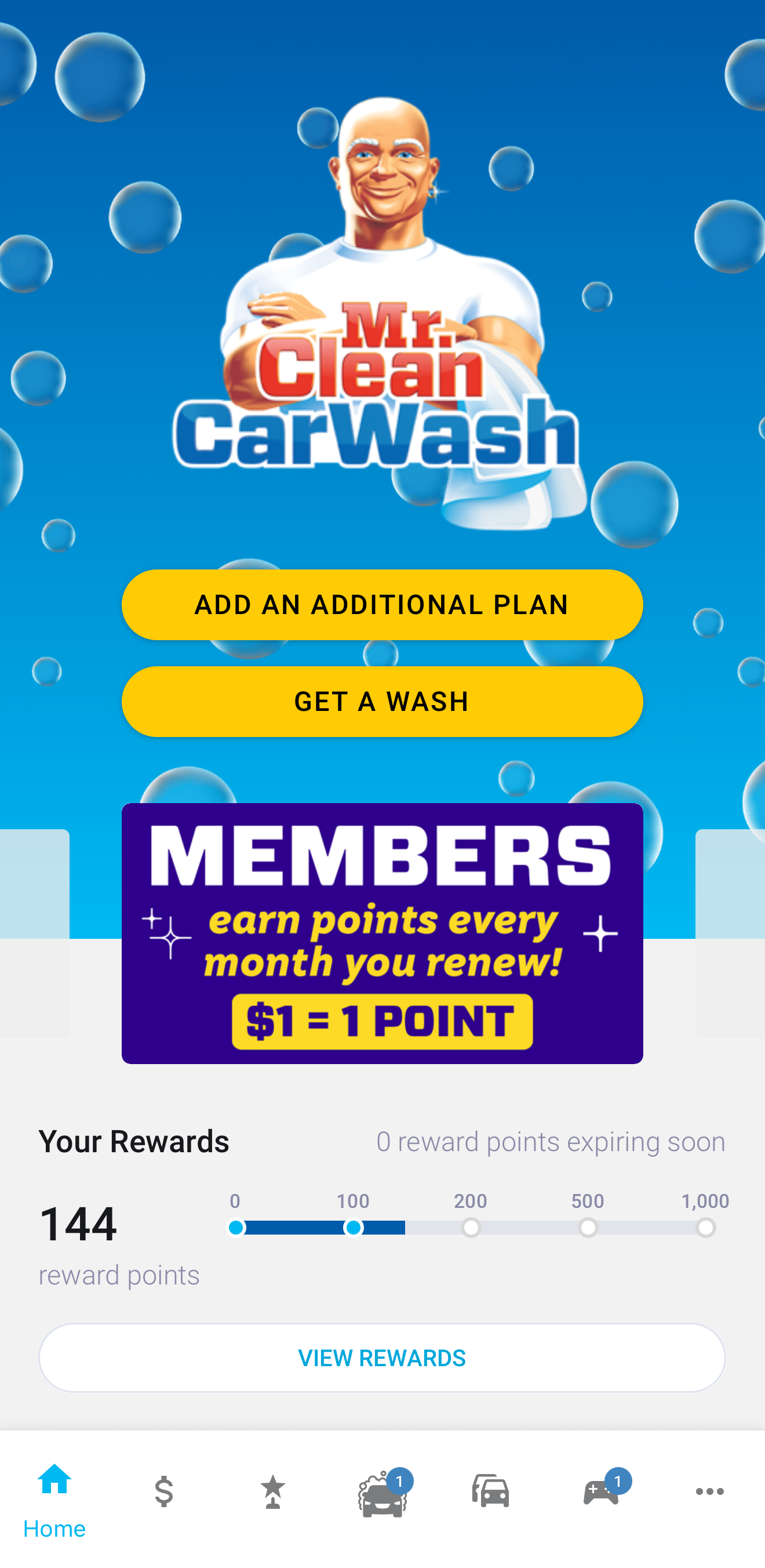
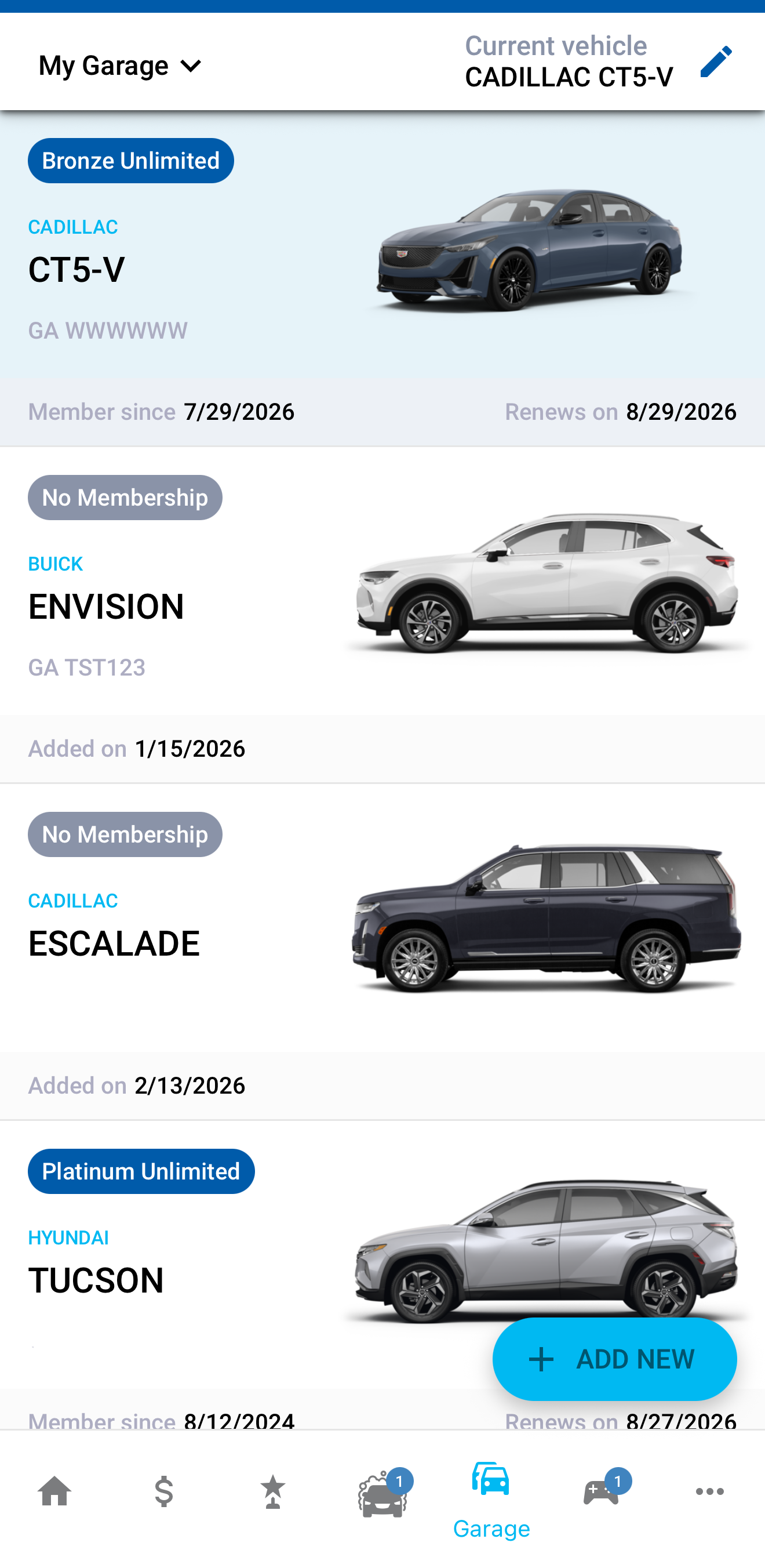
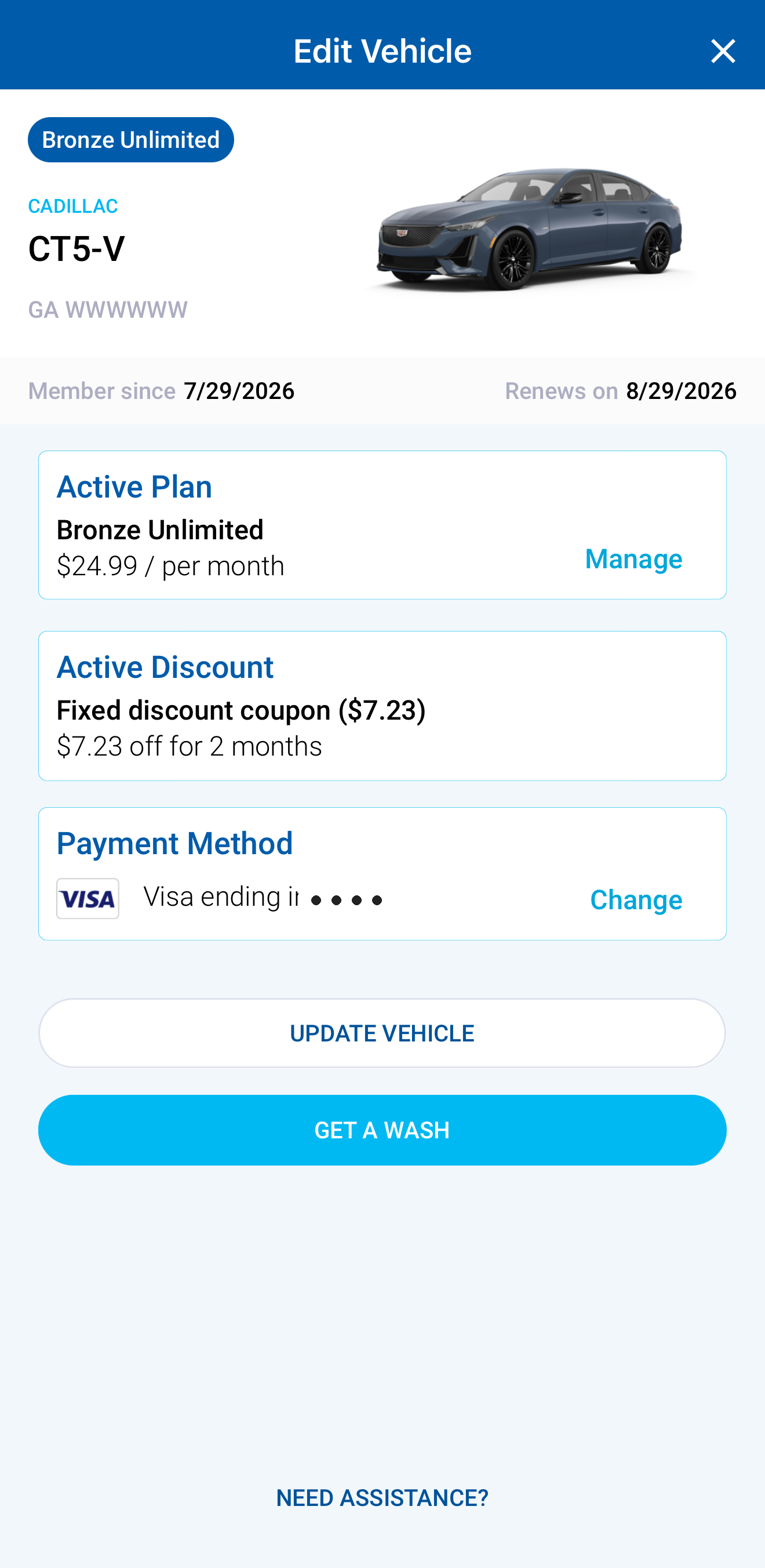
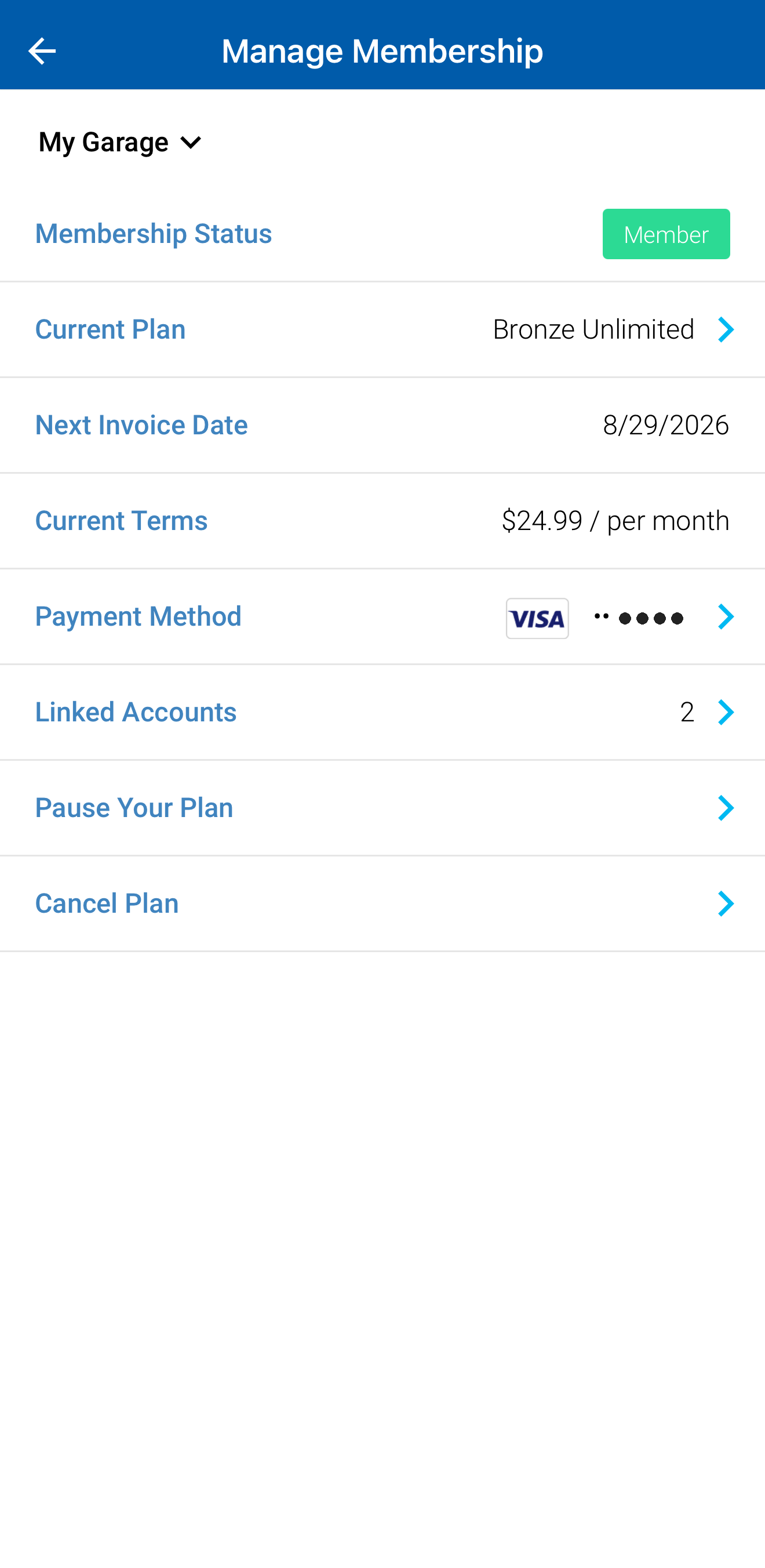
Prefer the menu? Tap More → User Settings → Manage Membership — it brings you to the same “choose your vehicle” screen.
Plan changes and cancellations take effect per the Unlimited Wash Club Terms & Conditions.
quick answers
In the app: Garage → your vehicle → Manage → Cancel Plan, choose a reason, and tap Confirm. Cancellations take effect per the Unlimited Wash Club Terms & Conditions.
On the Manage Membership screen, tap Pause Your Plan. Pauses are for whole months only (up to 9 months), and you choose a restart date up front — for example, a 2-month pause begins on your next recharge date and billing automatically resumes after those two months. It’s not an open-ended pause; the app shows exactly when billing restarts.
On your vehicle’s screen (or the Manage Membership screen), tap Payment Method → Change and enter your new card.
Your Unlimited plan renews monthly on your membership date — shown as “Renews on” and “Next Invoice Date” in the app.
Yes — from the app’s Home screen tap Add an Additional Plan, or in Garage tap Add New.
Still stuck after trying the app? Email [email protected] and our team will help you out.
One membership washes at all 19 Georgia & Florida locations.
Buy an Unlimited